


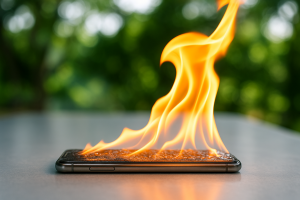
Ever felt your phone getting hot for no reason—and then suddenly shutting down? You’re not alone. A phone overheating is more common than you think, and it can be a sign of deeper hardware or software issues.
At iDR Tech, our expert technicians have handled hundreds of overheating devices, from cracked screens to dead batteries and misbehaving apps. In this guide, we’ll break down why your phone overheats, how to fix it, and when it’s time to seek professional help.
Disclaimer: This article is for educational purposes. If your phone is smoking, expanding, or smells like burning plastic, stop reading and get professional help immediately.
Why Do Phones Overheat?
A phone that feels warm is normal. But if it’s too hot to touch, showing a temperature warning, or shutting down on its own, it’s overheating.
Some common causes of overheating are:
- Battery Stress or Damage: Using fast chargers or third-party cables can strain the battery. Swollen or aging batteries generate excessive heat.
- Heavy App Usage: Games, video editing apps, and live streaming can max out your processor and GPU. Apps running in the background without your knowledge can cause your phone to overheat.
- Software Glitches: Buggy updates or rogue apps can cause CPU overuse. Malware or viruses may run hidden tasks.
- Environmental Factors: Leaving your phone in a hot car or under direct sunlight. Using your device while charging in a warm place.
- Charging While Using: Streaming or gaming during charging increases battery temperature and processor usage.
- Internal Hardware Issues: Faulty motherboard, speaker issues, or thermal paste degradation.
Hidden Signs Your Phone Is Overheating
Your phone doesn’t have to feel hot to be overheating. In many cases, the warning signs are subtle and easy to miss. Recognizing these hidden signs early can help prevent long-term damage and keep your phone running smoothly.
- Battery Health Warnings: Unexpected shutdowns during light usage. Slow charging or fast battery drain.
- Screen Issues: Flickering, lagging, or brightness drops.
- Performance Lag: App crashes, slow boot-up times, or system freeze.
- Device Expansion or Warping: A sign of internal swelling—usually from the battery. Dangerous!
What Happens When a Phone Overheats?
When a phone overheats, it’s more than just uncomfortable to hold—internal components can be seriously affected. Excess heat can cause the processor to slow down, the battery to degrade faster, and apps or the operating system to crash unexpectedly.
In extreme cases, overheating can permanently damage circuits or cause the phone to shut down to protect itself, leading to data loss or reduced device lifespan. Recognizing and addressing overheating early is key to keeping your phone safe and fully functional.
These are some other things that happen when a phone is overheating.
- Temporary Shutdowns: Safety mechanism kicks in.
- Battery Life Damage: Heat accelerates lithium-ion degradation.
- Component Stress: CPU, GPU, and internal circuits may weaken.
- Data Loss: Force restarts during overheating can corrupt memory.
- Physical Damage: Melting, warping, or screen burn.
Not sure what’s wrong? Book a free diagnostic at iDR Tech.
How to Cool Down Your Phone Quickly
If your phone starts to overheat, quick action can prevent damage and keep it running smoothly. Here are some effective ways to cool it down fast:
- Remove the Case: Helps air circulate.
- Power Down Immediately: Prevents further damage.
- Move to Shade: Indoors or into a cool bag.
- Enable Airplane Mode to reduce CPU usage.
- Avoid the Fridge or Freezer! That can cause internal condensation.
Note: According to Apple’s overheating guidelines, it’s crucial to avoid charging or using your device in high-temperature environments.
Additional Quick Fixes:
- Check battery usage in settings, then delete power-hungry apps.
- Disable 5G, GPS, and Bluetooth if not needed.
- Clear app cache or uninstall buggy apps.
Long-Term Solutions to Prevent Overheating
Preventing phone overheating isn’t just about quick fixes—it’s about long-term care. By adopting these habits, you can protect your phone’s internal components, extend its lifespan, and ensure it performs reliably day after day.
- Update apps and OS regularly.
- Use certified chargers Only (visit our shop for reliable accessories.)
- Avoid Overcharging by using a smart plug or timer to avoid 100% charging overnight.
- Schedule battery checks at least once a year.
When Should You Worry About Overheating?
Not all warmth is cause for concern, but there are times when overheating signals a serious problem. If any of the below happen, stop using your phone immediately and visit a professional repair shop.
- You smell burning plastic or see smoke.
- Your phone has a swollen back.
- The device keeps restarting or freezing.
- Battery percentage drops drastically in minutes.
Visit iDR Tech’s Contact Page or drop by our store for a same-day checkup.
What Can a Technician Do for You?
When overheating becomes a recurring issue, a skilled technician can help identify and fix the root cause. They can inspect your device for damaged components, check the battery and internal circuits, clean out dust or debris, and ensure software isn’t overloading the system.
In many cases, a technician can implement solutions—such as replacing faulty parts or optimizing settings—that prevent future overheating, helping your phone run safely and reliably in the long term.
We fix:
- Burned-out chips
- Damaged charging ports
- Speaker and screen replacements
- Device rebuild
In extreme cases, we replace:
- Batteries
- Mainboards
- Thermal paste
- Damaged power ICs
Explore full services here:
How iDR Tech Protects Your Device Long-Term
Protecting your device goes beyond a one-time fix—it’s about long-term reliability and performance. iDR Tech takes a proactive approach by addressing underlying issues, using high-quality components, and thoroughly testing every device to prevent future failures. The result is a device that doesn’t just work today, but continues to perform consistently and safely over time.
Don’t Ignore the Heat: Protect Your Phone Before Damage Sets In
Overheating is more than just an annoying quirk—it can damage your phone’s components and even become a fire hazard. By understanding the causes and following the fixes we’ve outlined, you can extend your phone’s life and protect your data.
If you’ve tried these steps and your phone is still heating up, don’t take risks. Visit the experts at iDR Tech today for a fast, affordable, and professional solution.
Explore our full repair services.
FAQs About Phone Overheating and Shutting Down
Can overheating damage the motherboard?
Yes. Prolonged heat can fry essential chips. Always shut down your phone when it feels unusually hot.
Does fast charging cause overheating?
Yes, especially on older devices or with third-party chargers. Use certified cables and keep the phone idle while charging.
Should I keep my phone out of the sun?
Absolutely. Heat from sunlight can overwork the battery and screen, triggering thermal shutdowns.
Is it safe to use a fan or AC to cool my phone?
Yes, but never expose it to moisture or rapid cooling (like fridges or freezers).